


Petlibro
2.71.02K Reviews
App Specs
- Version
- 1.8.95
- Updated On
- License
- Free
- Downloads
- 100,000+
- Developer
- DESIGNLIBRO INC
- Categories
- Lifestyle
- Platform
- Android
Screenshots
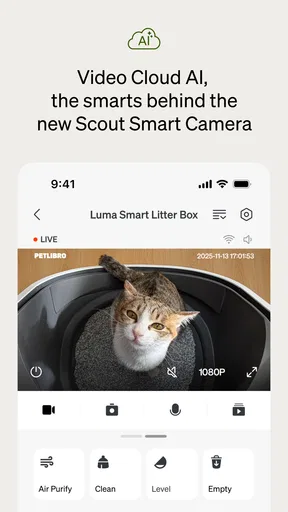
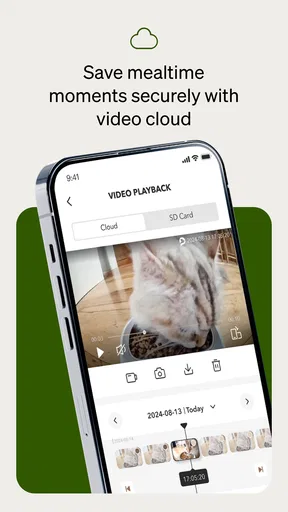
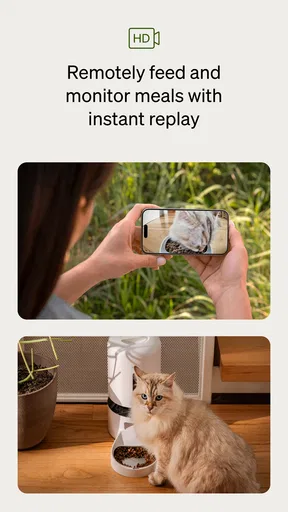
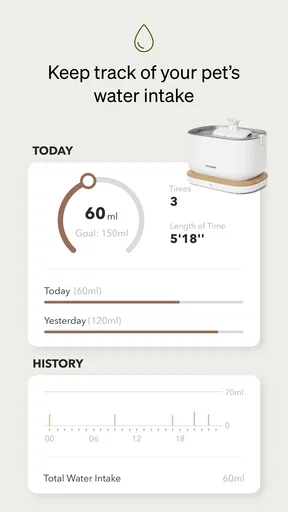
 Analysis by AppCompare
I judge a pet-care app by whether it makes a real routine easier without encouraging me to trust a screen more than my own eyes. Petlibro is a lifestyle app from DESIGNLIBRO INC, built around connected feeding and water equipment. Its appeal is practical: it brings pet-related tasks into one place and can make feeding less dependent on everyone in the household remembering the same details. My recommendation is cautious rather than automatic, though. The app makes most sense when you use compatible Petlibro hardware; without that, it may not offer enough to replace the notes and reminders you already use.
Where Petlibro fits in a daily care routine
The app is free to install, and its current version is 1.7.74. It has reached over 100,000 installs, with an average rating of 2.4 from around 2,600 ratings. That low average is worth taking seriously: it suggests the experience has not worked smoothly for many people, even if the connected-care idea is useful. I would treat it as a reason to check that the app works with your specific device and routine before making it central to your pet’s care.
Petlibro is intended for everyone, and it runs on Android 7.0 or later. The app itself costs nothing to download, while in-app purchases range from $5.99 to $199.99 per item. That broad range means I would check the purchase details carefully rather than assume every useful function or connected product is included at no cost. The app is not a substitute for a veterinarian, either: feeding records and reminders can support attentive care, but they cannot diagnose a health problem or decide what diet is safe for an individual animal.
What the current version means for new and existing users
The app was released on March 30, 2023, and version 1.7.74 is the current point of reference. Those details tell me that Petlibro has continued to have a versioned app after its original release, but they do not, by themselves, show which features changed or whether a particular issue has been fixed. I would avoid assuming that a recent-looking version number guarantees a polished experience. For an existing user, the practical test is whether the functions they rely on—especially device access and feeding controls—remain dependable after updating.
If you already own Petlibro equipment, I would check the app’s connection and controls while you are at home before relying on them during a trip. Try the everyday task you care about, confirm the device responds as expected, and keep your normal feeding backup in place until you trust the setup. That is a sensible precaution for any connected feeder: a reminder or remote control is helpful, but it should not be the only plan for an animal that needs regular meals.
Why the hardware connection matters
The strongest reason to choose Petlibro over a general pet checklist is its relationship with connected feeders and fountains. A standalone reminder app can tell me when it is time to feed, but it cannot directly control compatible equipment. On the other hand, if I do not have the relevant hardware, the main distinction becomes less persuasive. Before installing it as the center of a care routine, I would identify the exact feeder or fountain I plan to use and make sure the app supports that setup.
That distinction also shapes who should skip it. If you prefer to portion every meal by hand, do not want connected equipment, or simply need a shared calendar for medication and vet appointments, a basic calendar or pet-health log may be a more straightforward choice. Petlibro is better suited to an owner who wants app-based control to complement a connected feeding or watering routine—not someone looking for a medical record system or a replacement for hands-on care.
Worth Reading Before You Choose

Flipboard Shows What News Apps Must Do Beyond the Feed

Switching to Android Auto Means Rethinking Your Driving Routine

Google Calendar Makes a Crowded Week Easier to Manage

Ludo King Makes the Most of the Minutes Between Plans

Baby Panda World Brings Quick Play to Modern Phones, but Its Game Library Feels Busy

ESPN’s Live Game View Makes Following Close Games Easier
A practical way to introduce it at home
I would start with one pet and one repeatable task rather than trying to move an entire household routine into the app at once. Set up the relevant device, observe a normal feeding or water check, and compare what the app reports with what actually happened. Once that routine feels reliable, it is easier to decide whether to add other pets or make the app part of a shared schedule. This small trial also exposes the most important friction early: whether the device, app, and household habits fit together.
For example, imagine leaving for work while another person in the household handles the evening meal. A clear routine in the app can reduce uncertainty about who is responsible and whether feeding was scheduled. But I would still agree on a simple backup—such as checking the feeder directly—rather than treating a notification as proof that a pet ate. That is especially important if an animal has a specific diet, eats at a different pace, or needs observation during meals.
What to weigh before relying on it
Connected pet care trades some manual effort for dependence on a device and its app. That can be a good exchange when it saves a daily trip to the food bowl or helps keep a schedule consistent. It is less attractive if you want the simplest possible arrangement, if more than one caregiver needs a workflow that has not been tested, or if you would find device troubleshooting stressful when away from home. I would keep a modest reserve of ordinary food and a human check-in plan for travel, regardless of how convenient remote controls seem.
For an existing owner, I would also judge updates by what happens to the routine rather than by the version number alone: does the app open, can you reach the functions you normally use, and does the connected equipment respond? If something changes, do not wait until the next long day away to investigate. A brief at-home check gives you time to fall back on manual feeding while you work out whether the issue is temporary or part of a larger compatibility problem.
These are the details I would watch as Petlibro continues to evolve: whether everyday device control feels reliable, whether the app remains useful for households with more than one pet, and whether the costs of in-app purchases are clear before a commitment. Those are expectations to assess over time, not claims about what version 1.7.74 has changed. The app’s low average rating makes dependable basics more important to me than extra features or a polished presentation.
Getting Started with Petlibro
Downloading and setting up Petlibro is super straightforward. Whether you're on Android or iOS, the app is free to download from the respective app stores. Once installed, you'll be greeted with a user-friendly interface that's intuitive and visually appealing.
The initial setup involves creating a profile for each of your pets. You can add details like age, breed, weight, and dietary preferences. This personalized touch ensures that the app tailors its features to suit each pet’s unique needs.
Feeding Schedules and Reminders
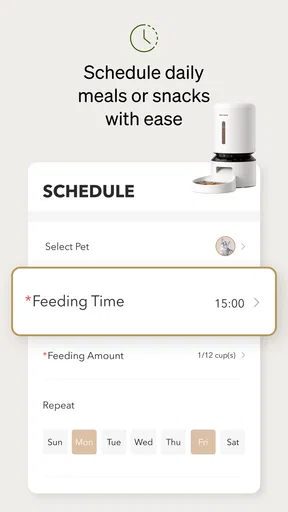
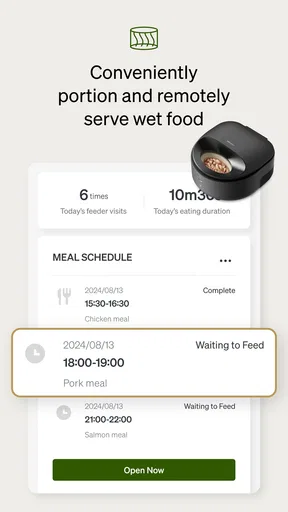
One of the standout features of Petlibro is its feeding schedule manager. If you’re juggling work and life, keeping track of feeding times can be a hassle. The app allows you to set up customized feeding schedules with reminders, so you never miss a mealtime. It’s like having a personal assistant just for your pets!
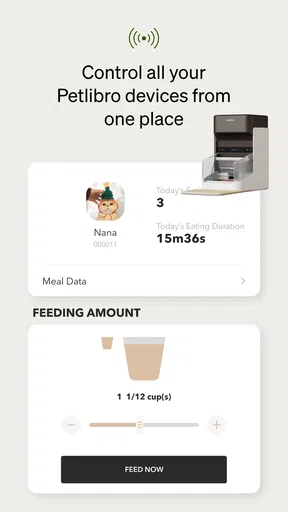
Moreover, if you use any smart feeders, Petlibro syncs seamlessly with them. This integration offers the convenience of controlling feedings remotely, which is perfect for those long days at the office or spontaneous weekend getaways.
Health and Activity Monitoring
Keeping an eye on your pet's health is crucial, and Petlibro does an excellent job of helping with that. You can log vet visits, vaccinations, and medication schedules all in one place. This feature is a real lifesaver, especially if you have multiple pets.
For the more active pets, the app also includes an activity tracker. Whether your pet loves to run in the park or lounge in the sun, you can monitor their activity levels and make adjustments to their exercise routines as needed.
User Experience and Design
The overall design of the app is sleek and modern, with a color scheme that's easy on the eyes. Navigating through the app is a breeze, thanks to its intuitive layout. Even if you’re not tech-savvy, you’ll find Petlibro easy to use.
A feature I particularly appreciate is the ability to connect with other pet owners. The community aspect allows you to share tips, ask questions, and even set up playdates. It adds a social element that makes pet ownership feel less isolated.
Additional Features
Aside from the main functionalities, Petlibro includes some nifty extras. There’s a diary feature where you can jot down memorable moments or milestones. The app also offers nutritional advice based on your pet’s profile, ensuring they get the best diet possible.
If you have a pet that requires specific dietary needs or has allergies, the app provides recommendations and alerts. This level of detail makes Petlibro not just a tool, but a comprehensive pet care solution.
Final Thoughts
In conclusion, Petlibro is more than just an app; it’s a companion for you and your pet. Its thoughtful features and community-driven approach make it an invaluable resource for any pet owner. Whether you’re tech-savvy or a bit of a technophobe, Petlibro provides the support you need to ensure your pet lives a happy, healthy life.
If you’re ready to enhance your pet care routine, give Petlibro a try. You’ll wonder how you ever managed without it!
Pros
- User-friendly interface for easy navigation.
- Wide variety of pet care products available.
- Secure payment options for peace of mind.
- Fast and reliable delivery services.
- Detailed product descriptions and reviews.
Cons
- Limited international shipping options.
- Occasional stock shortages on popular items.
- Some users report app crashes.
- Customer service response can be slow.
- Lack of customization in notification settings.
FAQs for Petlibro
What is Petlibro and what does it offer?
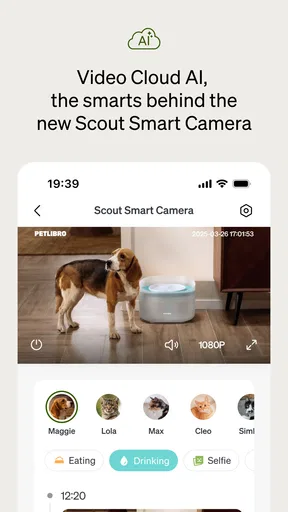
Petlibro is an app designed for pet owners to manage their pet’s daily needs efficiently. It offers features such as feeding schedules, health tracking, and reminders for vet appointments. Users can also connect compatible Petlibro smart devices for automated feeding and real-time monitoring, making pet care more convenient.
Is Petlibro compatible with all smart devices?
Petlibro is compatible with various smart devices specifically designed for pet care. However, it’s essential to check the compatibility list on the Petlibro website or within the app to ensure your existing devices can connect seamlessly. Regular updates are made to expand compatibility with more devices.
Do I need a subscription to access all features?
Petlibro offers both free and subscription-based services. While the basic version includes essential features like feeding schedules and reminders, the premium subscription unlocks advanced features such as detailed health tracking, personalized tips, and enhanced support, providing a more comprehensive pet care experience.
How user-friendly is the Petlibro app for beginners?
Petlibro is designed with user-friendliness in mind, featuring an intuitive interface that makes navigation easy for beginners. The app includes step-by-step guides and tutorials to help users set up their pet profiles and devices quickly. Customer support is also available for any additional assistance.
Is my personal data safe when using Petlibro?
Yes, Petlibro prioritizes user privacy and data security. The app uses encryption to protect personal information and adheres to strict privacy policies. Regular security updates are implemented to safeguard against vulnerabilities, ensuring that your data remains confidential and secure at all times.


